Enterprise sign-in: SSO and directory sync
Understand what SAML single sign-on and SCIM directory sync do for a SonicVox workspace, what your identity provider has to supply, what SonicVox checks on every assertion — and exactly how much of it is switched on today.
Status: connections can be configured, sign-in cannot yet be completed
Read this before you plan a rollout. The service-provider side of SAML is written and passes a signed-fixture suite, but SSO sign-in is disabled at the code level and both sign-in endpoints answer 503. No one can complete a SAML login on SonicVox today, in any workspace, whatever your identity provider is set up to do.
| Piece | State today |
|---|---|
| Store your IdP connection — issuer, sign-in URL, signing certificate, email domain | Available, Enterprise plan only |
| Service-provider metadata for your IdP to consume | Served. /api/saml/<connection-id>/metadata returns the SP metadata XML |
Start a sign-in — /api/saml/<connection-id>/login | 503 while the switch is off |
| Verify an assertion and make the trust decision | Implemented. 19 fixture cases — 2 accepts and 17 refusals — pass against a throwaway IdP key, and none of it is reachable while the endpoints are 503 |
Receive an assertion — /api/saml/<connection-id>/acs | 503 while the switch is off |
| Turn a verified assertion into a signed-in session | Written in the login core, and it refuses while the switch is off |
| SCIM tokens, Users and Groups endpoints | Live for Enterprise, with one deliberate limit: creating brand-new accounts is refused until federated sign-in works |
Four things remain before the switch can be flipped:
- The sign-in page has to redeem the hand-off. The assertion consumer hands a short-lived, single-use token to the sign-in page; nothing on that page spends it yet, so the last step of a login has no client.
- The public app origin has to agree with the metadata origin. The verifier derives the audience and ACS URL from the configured app URL, while the metadata endpoint derives them from the request origin. If those two differ by so much as a hostname, every assertion is refused for audience mismatch.
- A live round trip against a real identity provider, including deliberate failures: wrong audience, expired assertion, and a re-POST of the same assertion must each be refused.
- Two separate enables. The global switch turns the feature on for the platform; each workspace's connection is then enabled on its own, and that per-connection switch is still honoured independently.
Until then, what you can usefully do is configure the connection, hand the SP details to your IdP administrator, and sync members who already have SonicVox accounts.
What single sign-on will do for a workspace
A SAML connection lets the members of one workspace sign in through your identity provider instead of with a SonicVox password. One connection belongs to one workspace, and configuring it requires the workspace owner to be on the Enterprise plan.
Three properties are worth knowing before you design around it:
- A connection speaks for its own workspace only. After an assertion is verified, the asserted person must have an active SonicVox account and be an active member of that connection's workspace. A signature proves the assertion came from your IdP; it never proves your IdP has authority over the person it names, which is why membership is checked separately.
- There is no just-in-time provisioning. An identity your IdP asserts that has no SonicVox account is refused. Accounts come from SCIM or from ordinary workspace invitations, both of which apply seat limits and write an audit trail that a sign-in endpoint has neither of.
- SSO does not replace other sign-in methods. Enabling a connection does not disable password or Google sign-in for accounts that have them, and there is no setting that forces members through your IdP. Accounts that SCIM creates have no password at all, so for those people the IdP is the only route in.
If a member has turned on two-factor authentication for their SonicVox account, a verified assertion does not skip it — they are asked for their authenticator or backup code as usual. Your IdP's own MFA is not treated as a substitute for a factor the person chose to add here.
What directory sync adds
SCIM 2.0 lets your identity provider create, update, deactivate and remove workspace memberships without anyone using the SonicVox interface. It also requires the Enterprise plan, and every request re-checks that plan, so a downgrade stops provisioning without your tokens being revoked.
| What your IdP does | What happens in SonicVox |
|---|---|
| Create a user who has no SonicVox account | Refused today (see the note below). Once federated sign-in works: a passwordless account on the Free plan with its own personal workspace, plus a membership here |
| Create a user who already has a SonicVox account | A membership is added, or an existing manual membership is adopted under SCIM management. Their account, name and password are untouched |
| Change a display name or email | Ignored. Only the active flag and the external ID are applied to the membership |
Set active: false | The membership is deactivated: they lose this workspace everywhere it is gated. Their personal account and any other workspace they belong to are untouched — unless this was their only active membership, in which case live sessions are revoked too |
| Delete the user | The membership is removed. The SonicVox account itself is kept |
| Anything targeting the workspace owner | Refused with 403. The owner is the payer and is never SCIM-manageable |
| Create or update a group | Stored and returned to your IdP. Group membership grants no role, no permission and no credit budget |
SCIM refuses to create a brand-new account while the workspace has no working federated sign-in, and that refusal is the feature. Accounts created this way have no password, so an IdP push into a workspace without SSO would mint accounts that can never sign in — and the sign-in form would answer "Invalid email or password" forever, because it has to stay neutral to avoid confirming which addresses exist. The IdP's provisioning log gets a plain refusal instead: "Single sign-on is not enabled for this workspace, so provisioned users would have no way to sign in. Complete SSO setup before syncing new users."
Syncing people who already have SonicVox accounts is not gated by that rule, and works now. So do deactivation, reactivation and removal.
There is a second sign-in route that would satisfy the same gate: an OpenID Connect provider configured by the SonicVox operator for the whole installation rather than per workspace. It is not configured on SonicVox today, and it is not something a workspace administrator can turn on — mentioned only so that "SSO" in a support conversation is unambiguous. Per-workspace SAML is the connection this guide describes.
What a provisioned member gets
A SCIM-provisioned member joins with the member role and a Basic seat — the same seat as an ordinary invitee, not a privileged one. In a paid workspace that caps their draw on the owner's pooled credits at 50,000 credits per billing cycle. Raise someone to a Full seat from the Members tab if they need more; see the credits guide for how the ceilings interact.
Directory sync is deliberately not a side door: it cannot mint uncapped spenders in bulk, it cannot make anyone an admin, and a SCIM group is not a billing group — the two are separate objects and a directory group carries no budget.
One thing SCIM does not do on its own: deactivating a member does not revoke the API keys they created. Those keys authenticate on their own hashes and keep spending the workspace owner's allowance. Owners and admins get a notification prompting them to rotate the departed member's keys, because the alternative — cutting keys that are usually wired into your production systems, with no human to confirm with — is worse.
What is verified on every assertion
This is the part a security reviewer asks about. The assertion consumer endpoint adds no trust logic of its own; the whole service-provider decision happens in one verifier, and identity is read only from the bytes whose signature was checked.
| Check | Rule | Refusal reason |
|---|---|---|
| Signature | XML digital signature over the response or over the assertion, against the X.509 certificate stored on the connection. A response carrying neither signature is refused, and a response carrying more than one assertion is refused outright | signature |
| Issuer | Must equal the IdP entity ID pinned on the connection. Checked explicitly, so one tenant of a multi-tenant IdP cannot assert for another under a shared certificate | issuer |
| Audience | The assertion's audience must equal our SP entity ID. An assertion with no audience restriction at all is refused | audience |
| Destination | Every Recipient asserted inside the signature must name this workspace's ACS URL, and the response's Destination, when present, must match it. A response naming neither is refused | destination |
| Validity window | NotBefore and NotOnOrAfter, on both the conditions and the subject confirmation, with 60 seconds of clock tolerance. An assertion with no expiry bound is refused rather than treated as unbounded, and nothing older than 10 minutes from its issue instant is accepted, however long your IdP made it valid | conditions |
| Correlation | The assertion's InResponseTo must match a sign-in request SonicVox issued and has not already spent. Requests stay redeemable for 10 minutes | in_response_to |
| Replay | The assertion ID is claimed exactly once, by a database uniqueness constraint rather than a read-then-write, so two simultaneous presentations of one intercepted assertion cannot both win | replay |
| Identity | An email claim, or a NameID that is shaped like an email address | no_identity |
| Verifier present | If the signature library is missing from the running server, everything is refused rather than trusted | verifier_unavailable |
Signature wrapping — a response carrying one genuinely signed assertion plus a second, attacker-authored one, arranged so that the code checking the signature and the code reading the identity look at different elements — is covered by that first row and by a fixture case of its own. The defence is structural: the verified bytes are what the identity is parsed from, and the raw POST body is never re-parsed for anything security-bearing.
After verification, three account checks run before any session is issued:
- Email domain. If the connection pins a domain, the asserted address must be inside it.
- Account. The address must resolve to an active SonicVox account.
- Membership. That account must be an active member of this connection's workspace, or its owner.
All three failures answer with the same reason, no_account. That is deliberate: distinguishing "no such account" from "not in this workspace" would turn the endpoint into a way to probe who has a SonicVox account.
A refused login returns HTTP 401 with the reason code, because an IdP administrator debugging their own configuration needs to know whether they are looking at an audience problem, a destination problem or a signature problem — those are three unrelated fixes. The codes say nothing about accounts.
Why IdP-initiated sign-in is refused
Every SAML login must start at SonicVox, at the connection's login URL. Starting there is what mints an authentication request, persists its ID, and gives the returning assertion something to correlate against. An unsolicited assertion — the kind an IdP sends when someone clicks an application tile — has no such request, so it is refused with in_response_to, and there is a fixture case asserting exactly that.
This is a decision, not a gap. An unsolicited assertion has no binding to the browser that presents it, which makes it a login-CSRF vector: an attacker who obtains one valid assertion can cause a victim's browser to POST it and sign that browser into an account the victim did not choose. The correlated request ID is the binding that closes it. Supporting IdP-initiated sign-in later would mean adding a per-connection opt-in and a separate anti-CSRF story for the relay state — not relaxing this check.
For the same reason, when the flow is eventually tested end to end, it must be started from the SonicVox login URL rather than from a tile in the IdP's catalogue.
What your identity provider administrator supplies
| Value | Format and limit |
|---|---|
| IdP entity ID / issuer | Any string up to 1,024 characters. Must match the Issuer in the assertions exactly |
| IdP sign-in URL | An https:// URL up to 2,048 characters. Plain HTTP is rejected. SonicVox sends the authentication request to it over the HTTP-Redirect binding, deflated and base64-encoded |
| IdP X.509 signing certificate | PEM, up to 16,384 characters, and it must parse as a real certificate — this is the public signing certificate, not a secret, and it is the only trust anchor in the flow |
| Email domain | Optional, up to 255 characters, stored lower-cased. When set, the connection refuses assertions naming an address outside it |
Assertions have to carry an email address. SonicVox reads it from an email, mail or emailAddress attribute, or the standard email claim URI, and falls back to the NameID when the NameID is itself an email address. An opaque or transient NameID with no email attribute produces no_identity. A display name is read, when present, from displayName, name or cn, or assembled from the given-name and surname claims.
What SonicVox provides
Once a connection is saved, the SSO (SAML) section shows three values to configure on your IdP.
| Value | What it is |
|---|---|
| SP entity ID | <your SonicVox origin>/api/saml/<connection-id>/metadata — also the audience every assertion must name |
| ACS (Reply) URL | <your SonicVox origin>/api/saml/<connection-id>/acs, HTTP-POST binding |
| SP metadata URL | The same address as the entity ID, which returns the SP metadata XML as a download |
The metadata declares a NameID format of email address, an assertion consumer service on the HTTP-POST binding, that we want assertions signed, and that our authentication requests are not signed.
Deliberately not supported, so that none of it is discovered as a surprise mid-rollout: encrypted assertions, Single Logout, signed authentication requests, just-in-time account creation, IdP-initiated sign-in, and any mapping from IdP attributes or groups onto SonicVox roles, seats or credit budgets. Roles and seats are set in SonicVox.
Directory sync: endpoint, tokens and supported operations
The Provisioning (SCIM) section shows the base URL to paste into your IdP's SCIM connector, which is <your SonicVox origin>/api/scim/v2, and the tokens that authenticate against it.
A SCIM token is a bearer token scoped to one workspace, so a token can only ever provision into the workspace that minted it. Only its SHA-256 hash is stored — the full value is shown once, at creation, and cannot be retrieved afterwards. Tokens have no expiry that the app can set; end one by revoking it, which takes effect on the next request.
| Operation | Supported |
|---|---|
GET /Users with a userName eq or externalId eq filter, paged | Yes, up to 200 results per page. A filter we cannot parse returns an empty page rather than every user |
GET, POST, PUT, PATCH, DELETE on /Users | Yes. PUT and PATCH apply the active flag and external ID only |
/Groups, full create, read, update, delete | Yes, as storage. A group confers nothing |
/ServiceProviderConfig, /ResourceTypes, /Schemas | Yes |
| Bulk operations, sorting, ETags, password change | No, and the service-provider configuration says so |
Two refusals are worth recognising in a provisioning log: 403 with "SCIM provisioning requires an Enterprise plan." means the owner's plan no longer qualifies, and 409 with a seat-limit message means the workspace member cap has been reached. An Enterprise workspace is not capped in practice — but a lapsed subscription drops the cap to the Free plan's three seats, so a billing failure surfaces as provisioning conflicts rather than as a billing message.
Configure a connection
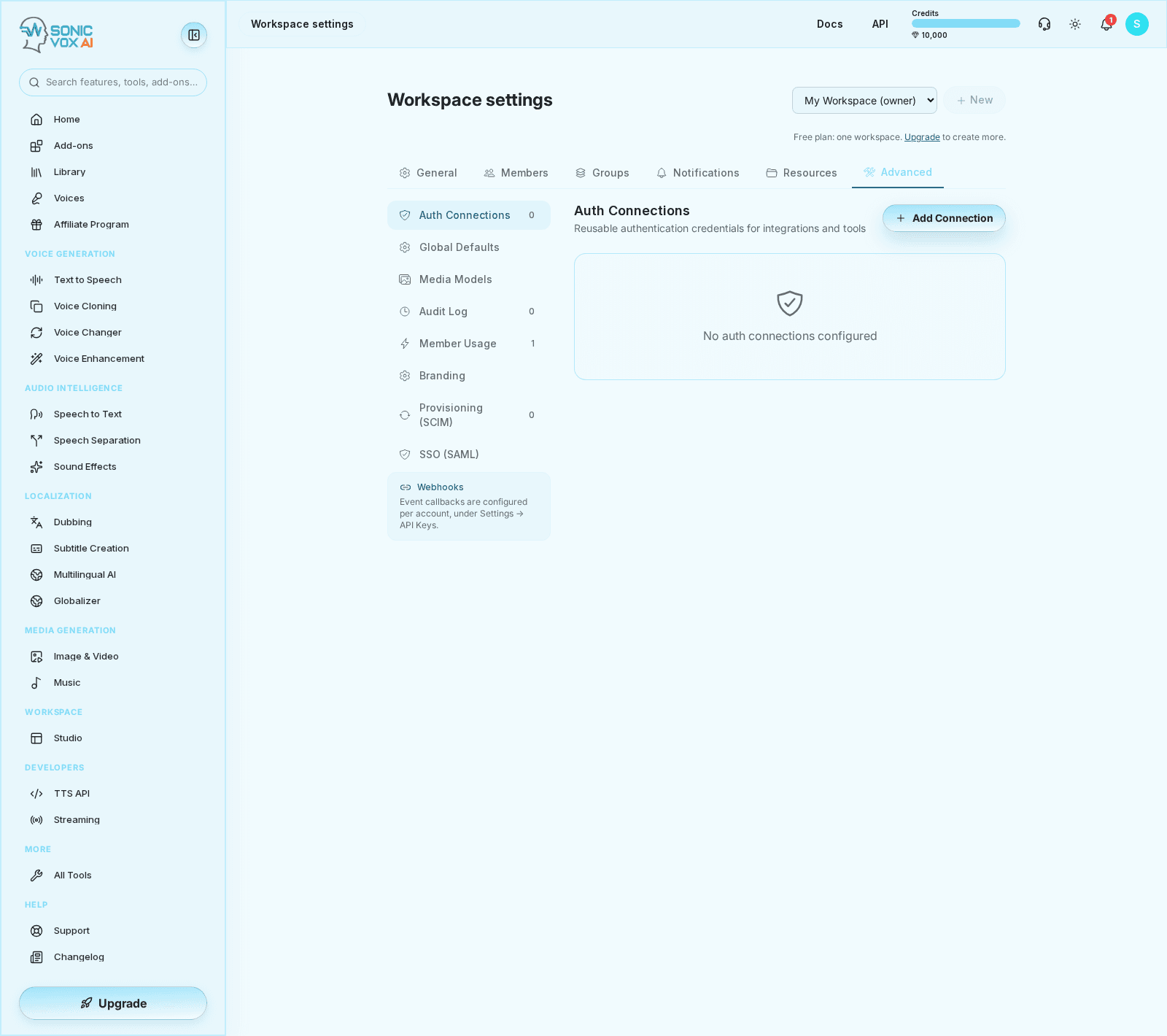
Both sections are on the Advanced tab of workspace settings, and both act on the workspace you are currently switched to. The workspace owner and admins can reach them.
- Open the Advanced tab
Go to /app/settings/team, pick the workspace in the switcher, and select Advanced. Choose SSO (SAML) or Provisioning (SCIM) in the left-hand list.
- Enter your IdP details and save
Paste the issuer, the sign-in URL and the signing certificate, and add the email domain if you want the connection pinned to one. Saving validates the URL and parses the certificate, and refuses the save if either is wrong. Saving never enables sign-in — the section says so, and the connection's status line reads "Configured — login activation pending" until it is.
- Hand the SP details to your IdP administrator
Copy the SP entity ID, the ACS URL and the metadata URL from the panel that appears once the connection is saved.
- Mint a SCIM token when you are ready to sync
In Provisioning (SCIM), name a token — up to 80 characters, name it after where it will live, such as the IdP and environment — and create it. Copy the value immediately; it is shown once. Revoke it from the same list when it is no longer in use.
Saving or removing a connection, and minting or revoking a token, are all written to the workspace audit log. So are SCIM user events — provisioned, updated, deactivated, reactivated, deprovisioned — and group creation and deletion, attributed to the directory rather than to a person. Changes to a group's roster are not logged.
Related guides
- Workspace members and seats — roles, Full and Basic seats, invitations and removals
- Shared credits and spend limits — who pays for a member's work, and the ceilings that bound it
- Groups — workspace groups, including billing groups, which are separate from directory groups