Addons
Auto-generated reference notes for Addons, built from the SonicVox route map rather than written by hand. The steps below are generic and have not been editorially verified.
What it looks like
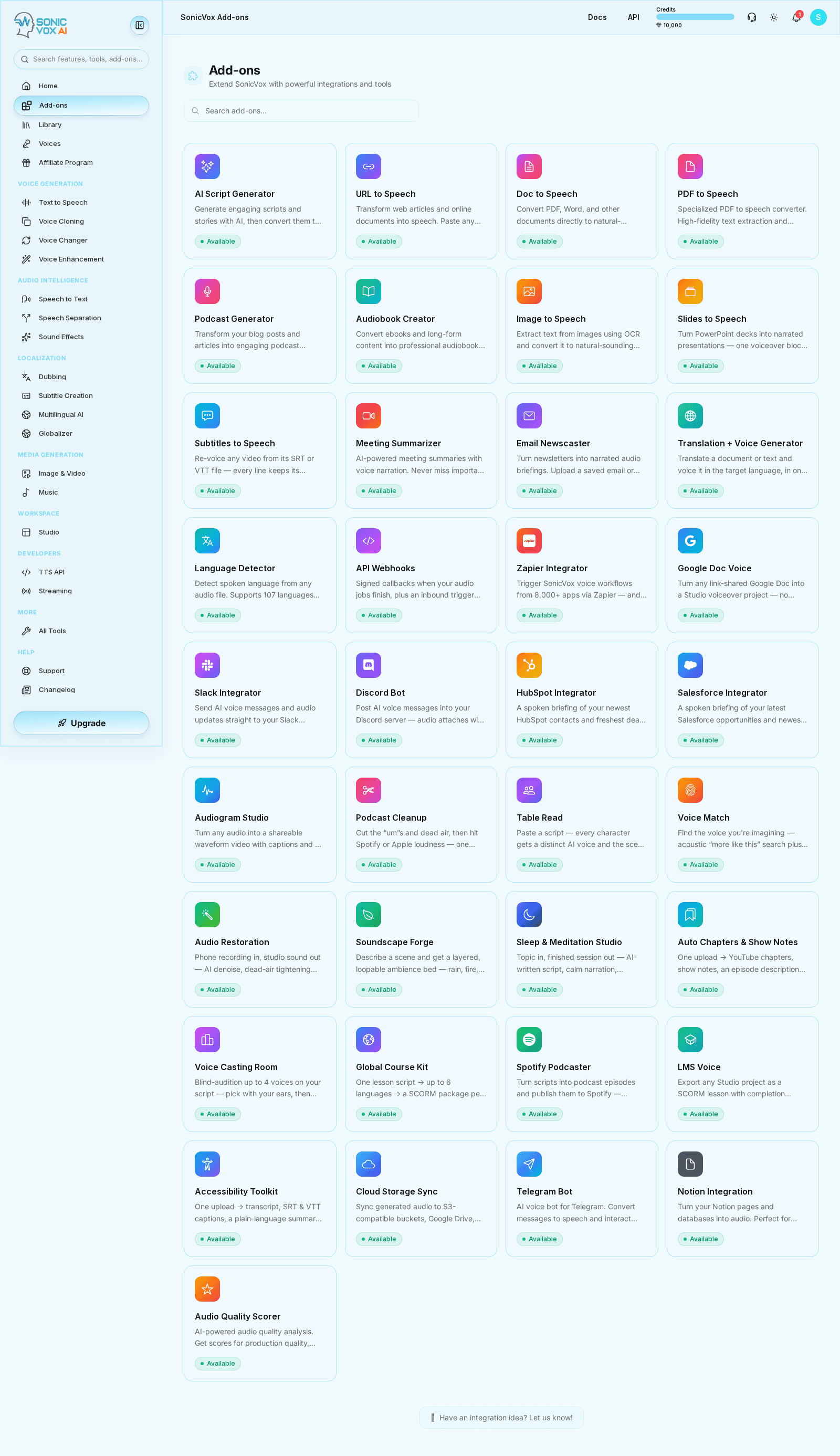
Overview
Addons was discovered on the SonicVox route map at /app/addons. This page exists so every shipped route has a docs entry to link to; it describes the generic workflow rather than product-specific behaviour, and is replaced the moment a curated guide is written.
Quickstart
This page is an automation-safe starter guide. The generator created it from the route catalog so documentation coverage never falls behind feature rollout.
Open the feature
Go to /app/addons and confirm the page loads in your current environment.
Configure the required inputs
Add the source content, choose any voice or processing settings, and verify the request shape before generating.
Run the workflow
Start the generation or processing job and review the initial output before continuing.
Check history and reuse
Save successful outputs, verify how the feature writes to history, and move assets into downstream workflows when needed.
Who this is for
Ideal users
- Operators or product teams validating newly shipped routes
Before you start
- Access to the feature route in the current workspace
- A small real-world sample input for a smoke test
Settings
| Setting | Description | Values |
|---|---|---|
| Inputs | The content, files, or prompt used to start the workflow. | — |
| Processing options | Feature-specific settings that change quality, speed, or style. | — |
| History | The saved outputs area used to replay, compare, or export prior runs. | — |
Use cases
Initial route validation
Use this auto-generated guide to confirm Addons loads, accepts input, and produces an output path worth documenting in more depth.
Examples
Smoke test
Use a short input to verify Addons works end-to-end before scaling up.
Best practices
- Keep a minimal reproducible test input for every feature so automated docs captures remain stable.
- Promote mature auto-generated pages into curated registry entries once the product flow is stable.
Troubleshooting
This auto-generated page feels thin
Likely cause
The route was discovered automatically before a hand-curated guide was added.
What to do
Promote the feature into the manual registry with richer steps, examples, troubleshooting, and capture flows once the product experience stabilizes.
FAQs
Why is this page shorter than other docs pages?
It was created automatically from route discovery so docs coverage does not lag behind shipping features. Add a curated registry entry to expand it.