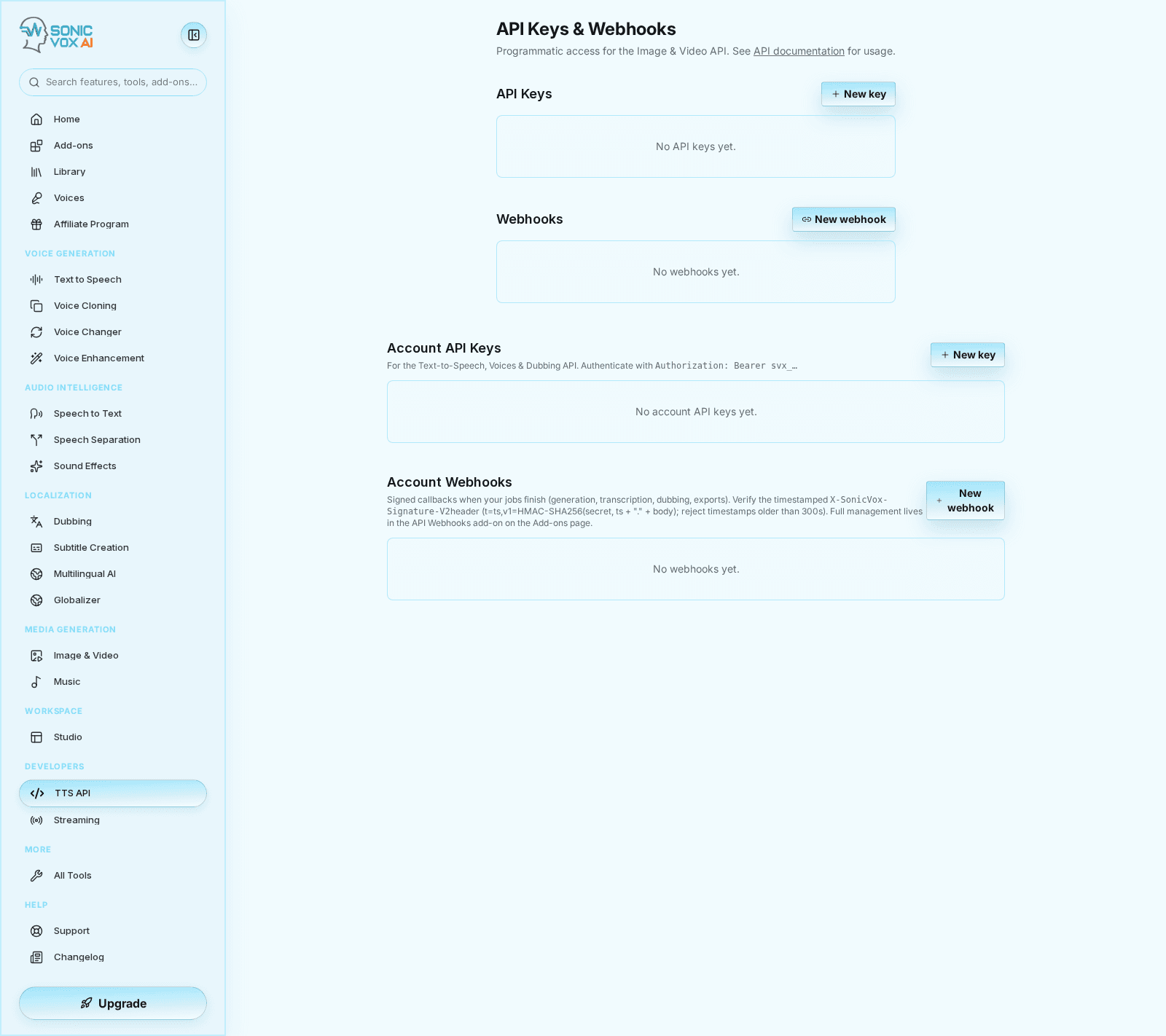
API keys in a workspace
Understand which of the two kinds of SonicVox API key to mint, whose credits each one spends, who is allowed to create one, and what happens to each when the person who made it leaves.
The two kinds of key
Both are created at Settings → API Keys (/app/settings/api-keys), on the same page, in two separate sections. They are not interchangeable.
| Personal key | Workspace key | |
|---|---|---|
| Starts with | svx_ | sv_pk_ |
| Belongs to | One person's account | The workspace |
| Reaches | Text to Speech, Speech to Text, voices, dubbing, sound effects, Voice Changer, analytics, account webhooks | Image and video generation, and the model list |
| Whose balance pays | The account that owns the key | The workspace owner |
| Who can see and revoke it | Only the person who created it | Every owner and admin of that workspace |
| Send it as | sv-api-key, x-api-key, or Authorization: Bearer | X-SonicVox-API-Key or Authorization: Bearer |
| Section on the page | Account API Keys | API Keys |
Neither key works on the other's endpoints. Present a sv_pk_ key to Text to Speech, or a svx_ key to image and video, and the call fails with 401 invalid_api_key and a message naming the kind of key that endpoint needs — so a mix-up reads as a wrong-key error rather than a mysterious rejection.
Who pays for a call
This is the part that decides which key you should be minting.
| Key | Whose plan gates the call | Whose balance is charged |
|---|---|---|
Personal svx_ | The person who created the key | The person who created the key |
Workspace sv_pk_ | The workspace owner | The workspace owner |
A workspace key has no acting user at request time — it was minted against the workspace, not against a person — so the owner is both the entitlement source and the payer. That stays true after the admin who minted it has left.
A personal key is the opposite: it always bills its own account. Pooled workspace billing, where a member's work draws on the owner's balance, needs a workspace you actively switched into, and an API request carries no such switcher context. So a member's personal key spends their credits and is gated by their plan, even when they work exclusively inside your paid workspace.
If you want API usage on the workspace's tab, it has to be a workspace key. Handing a member a personal key and expecting the workspace to pay is the one arrangement this system will not do, and nothing on the key itself will tell you — the calls drain that person's own balance until it runs out.
Image and video generation additionally requires the workspace owner's email address to be verified; an unverified owner gets 403 email_not_verified on every generation, whoever minted the key.
Who may create a key
Three separate rules apply, and all three have to pass.
1. The workspace API-key policy. Set at Settings → Team → General, on the API Key Policy row. Only the workspace owner and admins can change it.
| Policy | Effect |
|---|---|
| All members can create keys (the default) | Any member of the workspace may mint a personal key, subject to the two rules below |
| Admins only | Members and viewers are refused: This workspace only allows the owner and admins to create API keys. |
The policy is read from the workspace you are currently in when you press Create key. Owners and admins are never blocked by it.
Be clear about the reach of this setting: it changes who may mint a personal key. Workspace keys are already restricted to the owner and admins by the surface itself, so switching to Admins only does not change anything about them.
2. Seat type. A Basic seat cannot mint a personal key at all — Your seat type does not allow creating API keys — ask a workspace admin for a full seat. Move the person to a Full seat if they need one. Owners and admins are treated as Full-seat holders here regardless of the seat recorded on their membership, because a role that can administer the workspace is not one a seat tier should override. Workspace keys are gated on role rather than seat: the owner or an admin, and nobody else.
3. The plan, and how many keys it allows. Personal keys count per person; workspace keys count per workspace and are counted against the owner's plan. Both use the same allowance:
| Plan | Active keys allowed |
|---|---|
| Free | 0 |
| Starter | 0 |
| Creator | 2 |
| Pro | 3 |
| Scale | 5 |
| Business | 20 |
| Enterprise | 100 |
At 0 the refusal reads Your plan does not include account-level API keys. Upgrade to create one. Above 0, the refusal names the number: You've reached your plan's limit of 3 account API key(s). Revoke one to create another. Revoked keys do not count, so rotating never runs you into the cap. These are the built-in figures; an agreed plan can carry different ones.
Workspace keys have one extra gate: the owner's plan must include API access, or creation is refused with This workspace's plan does not include API access. And you cannot mint a personal key until your own email address is verified.
Every creation is recorded and announced. The minter gets an email and an in-app notification; for a workspace key the workspace owner is emailed too when somebody else minted it, because it is their balance and their plan on the line.
What you can set on a key
You set these once, at creation. There is no edit screen for an existing key — to change a scope, an expiry or a rate limit, mint a replacement and revoke the old one.
| Setting | Personal key | Workspace key |
|---|---|---|
| Name or label | Required, up to 80 characters | Required, up to 80 characters |
| Scopes | Pick from the account scope list; at least one | Pick from the five media scopes; at least one |
| Expiry | Preset list, default Never | Preset list, default Never |
| Rate limit | Not offered — the ceiling is per account, from your plan | Optional, 1–10,000 requests per minute |
| Revoke | Yes, permanent | Yes, permanent |
| Disable and re-enable | Does not exist | Does not exist |
Expiry presets. Both forms offer the same list: Never, 15 minutes, 1 hour, 1 day, 7 days, 30 days, 90 days. Pick the shortest lifetime the job needs — an expired key stops working on its own, with nobody having to remember to revoke it. Fifteen minutes exists because a CI run or a support session is genuinely that short.
Rate limit on a workspace key. The figure is a cap, never a raise. The platform already limits a workspace key to 600 read requests and 60 write requests per minute, counted separately so that polling a job's status does not consume the budget for starting new ones. Your number can only tighten one of those; setting 5,000 on a write-class key leaves it at 60.
Personal keys have no per-key rate control because their limit is counted per account, not per key: minting a second key does not double your throughput. Your plan sets both the per-minute rate and a daily request ceiling.
Copy the key when it is shown. The full key appears exactly once, in the banner right after creation. Only a short prefix is stored for display, so a key that was not copied cannot be recovered — revoke it and mint another.
Scopes
A key can only call what you tick. Everything else answers 403 insufficient_scope, naming the scope the endpoint wanted — on a personal key the error also lists the scopes the key actually holds, which is usually enough to diagnose it without opening the settings page. Scopes are re-checked against these lists on every request, not only when the key is created.
The two forms start from opposite defaults. A new personal key arrives with Text-to-Speech and Read voices ticked; a new workspace key arrives with all five media scopes ticked, so untick what the integration will not use before you create it.
Personal (svx_) keys:
| Scope | What it grants |
|---|---|
tts:synthesize | Text-to-Speech |
stt:transcribe | Transcribe audio |
voice-enhancement:enhance | Voice enhancement |
sound-generation:create | Generate sound effects |
speech-to-speech:convert | Voice Changer (speech-to-speech) |
voices:read | Read voices |
voices:write | Manage voices |
dubbing:read | Read dubbing jobs |
dubbing:create | Start dubbing jobs |
agents:read | List agents |
analytics:read | Read analytics |
webhooks:read | Read webhooks |
webhooks:write | Manage webhooks |
workflows:run | Run workflows |
Workspace (sv_pk_) keys:
| Scope | What it grants |
|---|---|
image:read | Read image jobs |
image:write | Generate images |
video:read | Read video jobs |
video:write | Generate video |
models:read | List models |
Two of the personal scopes are narrower than their names suggest, and both are worth knowing before you build against them:
agents:readlists agents and nothing more. Endpoints that act on one named agent reject a personal key with403 account_key_not_agent_scoped, because a personal key is not bound to an agent.workflows:runis currently inert for customer accounts. Workflows is still an internal preview: every Workflows endpoint answers403 workflows_unavailableunless the key's owner is a SonicVox platform administrator. The scope can be ticked and stored today; it does not yet open the surface.
What a caller sees when a key stops working
Every error carries the same envelope — a type, a code, a message, the status, a request_id to quote at support, and a doc_url. Branch on code.
Personal (svx_) keys:
| Situation | Status | Code | Message |
|---|---|---|---|
| Revoked | 401 | invalid_api_key | API key has been revoked |
| Past its expiry | 401 | invalid_api_key | API key has expired |
| Key holder's SonicVox account deactivated | 401 | invalid_api_key | Account is suspended |
| No key sent | 401 | missing_api_key | — |
| Scope not held | 403 | insufficient_scope | Names the scope required and the ones held |
| Balance too low | 402 | insufficient_credits | States the cost and the balance |
| Daily request ceiling hit | 429 | daily_limit_exceeded | — |
| Per-minute rate hit | 429 | rate_limit_exceeded | — |
Workspace (sv_pk_) keys:
| Situation | Status | Code | Message |
|---|---|---|---|
| Revoked | 401 | invalid_api_key | Invalid API key |
| Past its expiry | 401 | expired_api_key | API key has expired |
| Owner's plan has no API access | 403 | plan_limit_exceeded | Names the plan |
| Owner's billing has lapsed | 402 | billing_lapsed | — |
| Scope not held | 403 | insufficient_scope | Names the scope required |
| Per-minute rate hit | 429 | rate_limit_exceeded | Names the class and the limit |
Note the one asymmetry: a revoked workspace key is indistinguishable from a key that never existed, because revoked keys are excluded from the lookup entirely. A revoked personal key says so. Either way the status is 401 and the fix is the same — mint a new key.
Revocation takes effect on the very next call. There is no grace period, and no way to reverse it: the list shows the key as Revoked permanently. Expiry behaves the same way at the moment it passes, with no warning email beforehand, which is why the Expires column has a place of its own in the key list.
Rotating a key
Rotation is create-then-revoke, in that order, so no call fails in the gap.
- Mint the replacement first. Same scopes, same or shorter expiry. Revoked keys do not count against your plan's allowance, so being briefly over the number is not a problem.
- Deploy the new key everywhere it is used. The Last used column on the old key tells you whether anything is still calling with it.
- Wait until the old key stops being used. Give scheduled jobs a full cycle — a nightly batch will not touch the key for up to 24 hours.
- Revoke the old key. Any integration still holding it fails immediately with a 401.
- Check the Expires column. If the replacement is set to Never, put the next rotation in your calendar. Nothing in the product will remind you.
When someone leaves or is suspended
This is the difference that decides which kind of key your team should be using.
| What happened | Personal svx_ key | Workspace sv_pk_ key |
|---|---|---|
| Removed from the workspace | Keeps working. Membership is never re-checked at request time | Keeps working, and is still yours to manage |
| Membership suspended | Keeps working. Suspension ends their browser sessions but does not touch API keys | Keeps working |
| Seat downgraded to Basic | Keeps working. The seat rule is checked when a key is created, not when one is used | Not applicable |
| SonicVox account deactivated | Stops immediately — 401 invalid_api_key, Account is suspended | Keeps working; the creator's account status is not consulted |
| SonicVox account deleted | Deleted with the account | Deleted too — erasing an account removes every workspace key that person minted, in every workspace |
| Workspace deleted | Unaffected | Deleted with the workspace |
Two consequences follow, and they are the practical argument for workspace keys:
- A workspace key survives staff turnover on purpose. It belongs to the workspace, so the integration it powers does not break when the person who set it up moves on, and any current owner or admin can read it in the list, see who minted it in the Created by column, and revoke it. Offboarding is a decision you make, not an outage you discover. The one case that does break it is that person later deleting their SonicVox account entirely, which takes their minted keys with it — so when someone leaves for good, rotate the workspace keys their name is on to a key minted by somebody still there.
- A personal key survives turnover by accident, and you cannot clean it up. Only its owner can see or revoke it. Removing them from the workspace does not stop it, and neither does suspending them. The only lever an administrator has is deactivating the SonicVox account itself. Every generation it makes is charged to that person's own balance, so the exposure is theirs — but the integration is still live, and you have no list of it.
So: build shared, long-lived integrations on workspace keys, and keep personal keys for the individual work of the person who holds them.
Where the workspace keys section points
The workspace-key section of Settings → API Keys always manages the oldest workspace you own or administer. It does not follow the workspace switcher, it has no picker, and it does not print the workspace's name anywhere on the page.
That matters if you administer more than one workspace, because the oldest is usually the personal workspace created for you at signup rather than the team workspace you had in mind — and a key minted there bills your own balance, not the team's. Keys belonging to your other workspaces are not listed here at all, so an empty list is not proof that a workspace has no keys.
The section does not render at all for someone who owns or administers no workspace. Personal keys are always available, including to a plain member.
What these controls do not do
- A per-key monthly spend cap is not part of the product. No control sets one and no request path enforces one. What bounds spending is the payer's credit balance and, for in-app work, the seat, per-member and billing-group ceilings described in the credits guide — none of which apply to a workspace key, because its spending is the owner's own.
- There is no pause. A key is active or revoked; revoked is permanent.
- There is no per-key usage report on this page. The key list shows Last used and nothing more.